Onbook

The teleprompter that listens.

Read to the camera the way you talk. Onbook follows your voice word by word in 33 languages, and when you pause, skip a line or improvise, it finds your place again.

Coming soon to the App StoreFree to try · iPhone, iPad and Mac

Works entirely on your deviceNo accountNo tracking

It follows you. You don't follow it.

A scrolling prompter sets the pace and you chase it. Onbook listens instead, so the words wait when you do.

Keeps your place

The line you're reading stays beside the lens. Stop to think, go back to re-read, or skip a paragraph: Onbook hears where you are and moves there.

More than one language

33 languages, from English and Chinese to Arabic, Hindi and Thai. A script that switches between English and Chinese mid-sentence works as you'd read it.

Stays on your device

Apple's on-device speech recognition and translation. No account, no server, no analytics: your scripts, your voice and your takes never leave your iPhone, iPad or Mac.

Record with the words beside the lens

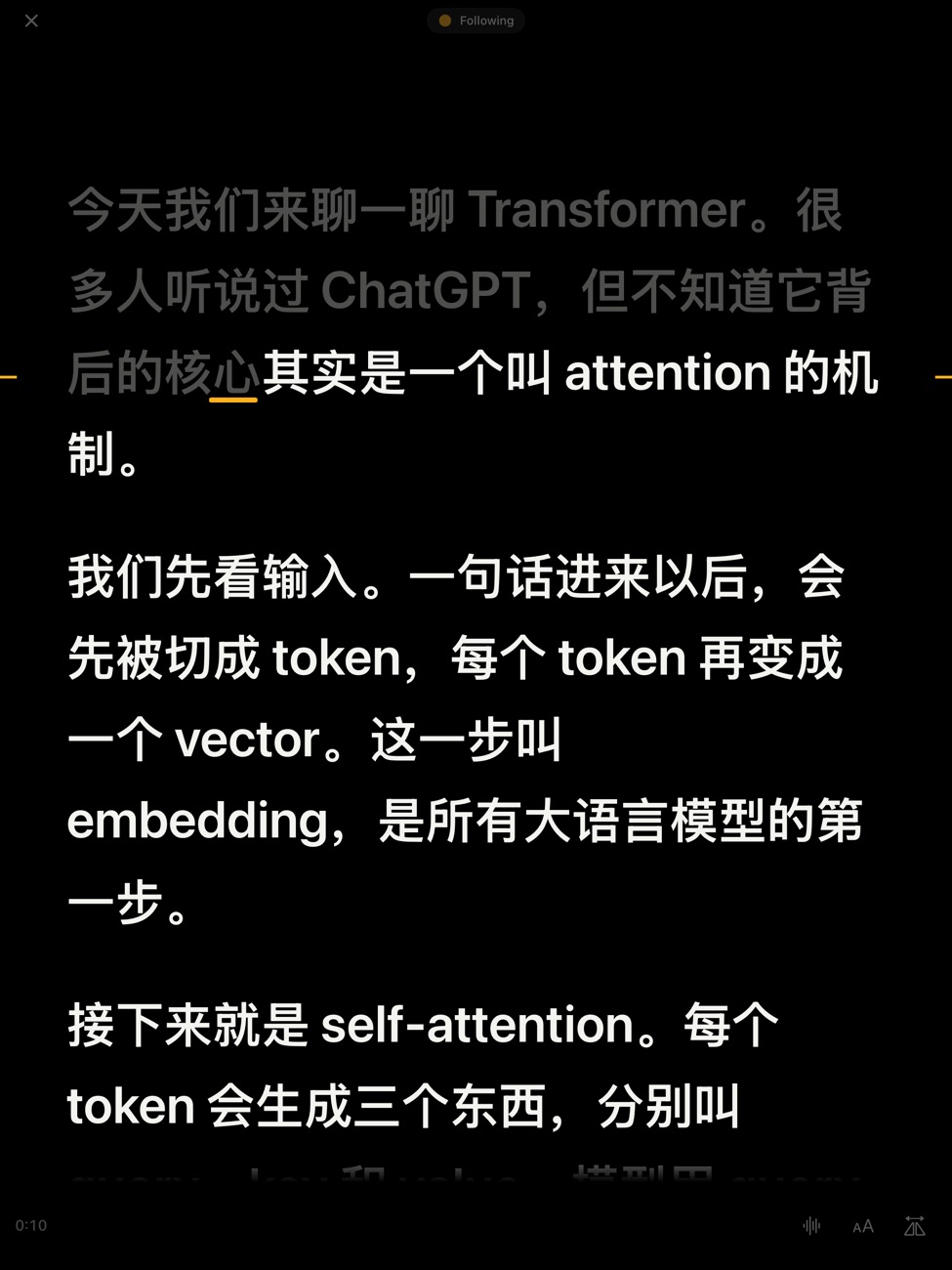
Turn on the front camera and record while the script follows you, the current line kept close to the lens so your eyes stay on the viewer.

Portrait or landscape; each take keeps the orientation it starts in. Every take is marked where you paused, repeated yourself, used a filler word or went back to re-read.

The prompter on iPhone: a mixed Chinese and English script, the words already read dimmed, the current word underlined in amber at the cue line, Following at the top

Translate it, then record that version too

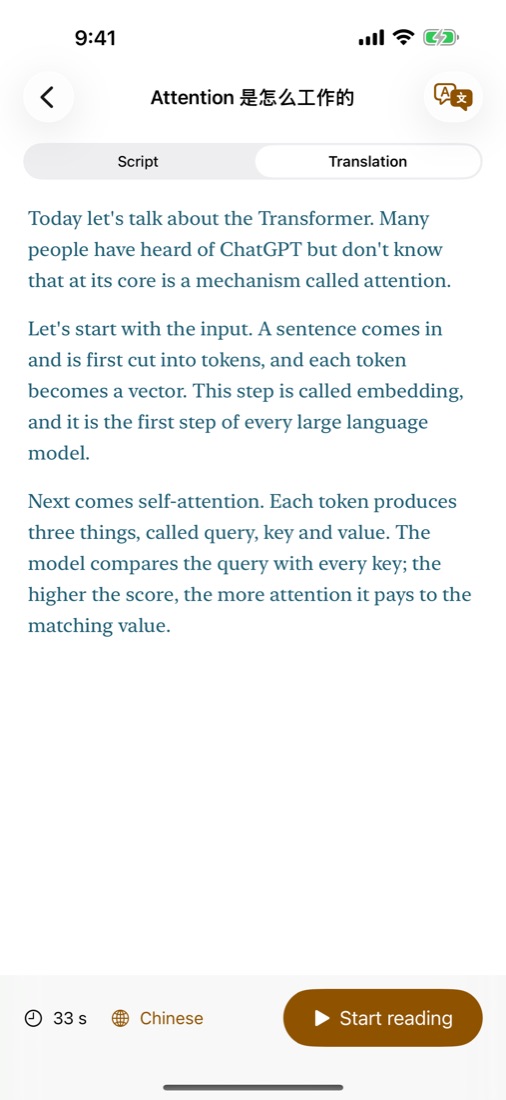
Translate a script into another language with Apple's on-device translation, and read the new version with the same voice following.

While you read, a live translation of what you just said can appear under the script, one finished sentence at a time.

A Chinese script about attention, shown in its English translation, with Start reading

A bigger page on iPad

More of the script at once, in larger type, with the same following, recording and review as on iPhone.

Prop it under a camera, or mirror it for a glass prompter.

The prompter on iPad, following a mixed Chinese and English script

On the Mac, beside the camera

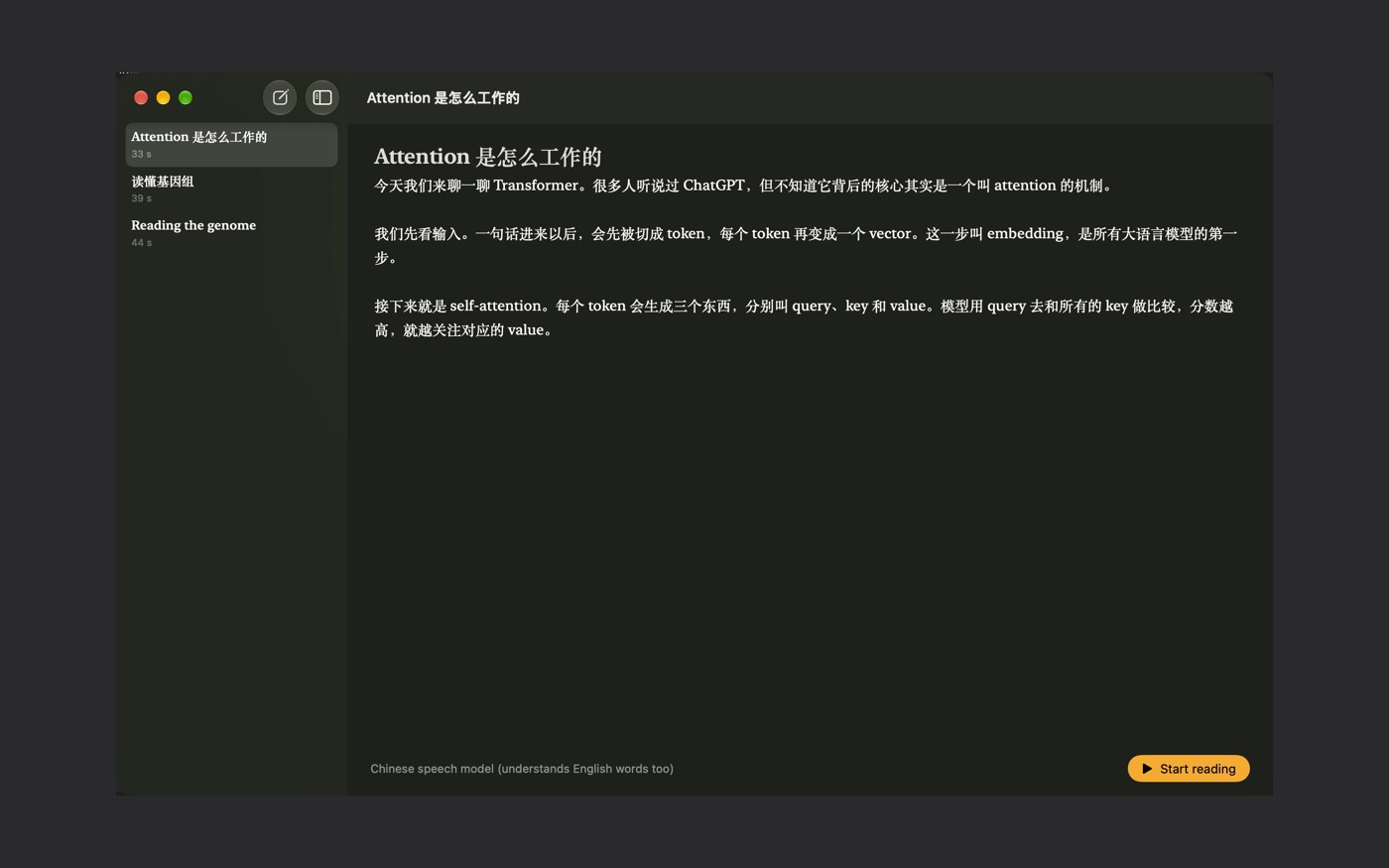
On a Mac, Onbook reads from a small prompter that hangs from the top of the screen, right under the camera, over any call or recording app.

Write and keep scripts in the Mac app itself. Each device keeps its own library; nothing is synced through a server.

Onbook on the Mac: a list of scripts and the script Attention 是怎么工作的, with Start reading

Review every take

Watch it with its timed transcript. Tap a line to play from there, or scrub the timeline past the marks for pauses, repeats and filler words.

Export captions

SRT or WebVTT, in the original language, the translation, or both, timed to the take.

Keep the video

Save a take to Photos or share it. It stays in Onbook too, beside the script it was read from.

Follows you in 33 languages

The language is detected from your script; choose another in the editor whenever you like. The app itself speaks 32 languages.

English + 中文, mixed English简体中文繁體中文廣東話日本語한국어 EspañolFrançaisDeutschItalianoPortuguêsالعربية हिन्दीไทยTiếng ViệtBahasa IndonesiaBahasa MelayuTürkçe РусскийУкраїнськаPolskiNederlandsSvenskaDansk Norsk bokmålČeštinaSlovenčinaMagyarRomânăHrvatski ΕλληνικάעבריתCatalà

Arabic and Hebrew read right to left. Translation pairs depend on your device and its system version.

Good to know

Does anything leave my device?

No. Speech recognition and translation run on the device with Apple's frameworks. Onbook has no account, no analytics and no server; your scripts and takes are stored on the device and in your own backups. The first time you use a language, the system downloads Apple's speech or translation model for it, from Apple. See the privacy policy.

Is it free?

Free to download and try: voice following in every language, translation, the sample scripts and one script of your own. One purchase, US$19.99, unlocks unlimited scripts, recording and captions on your iPhone, iPad and Mac. No subscription, no account.

What if I go off script?

Onbook keeps listening. Improvise, and the cue waits where you left the script; come back to any line, even a few paragraphs later, and it moves there. You can also tap a line to move the cue yourself.

Does it work with a glass prompter?

Yes. Mirror the text with the button in the prompter, or turn on mirroring in Settings.

What do I need?

An iPhone or iPad with iOS 26.4 or later, or a Mac with macOS 26.4 or later. Some languages and translation pairs depend on the device and its system version.

Who makes it?

Onbook is made by Rocky Stone Labs, who also make Stillwater. Questions: support@rockystonelabs.com.

Look at the lens. Onbook keeps your place.

Coming soon to the App StoreFree to try · iPhone, iPad and Mac